Low-Friction Time Accounting
Ever since I read the 4-Hour Work Week and stumbled my way into the lifestyle design and optimisation crowd, I had been a sporadic practitioner of time accounting. From time to time, I would go through the pain of recording how I was spending my time in a given day, to as much detail as I could. The results were always equal parts insightful and depressing. Your calendar (and in this case, even more brutally, your time log aka what really did happen) reveals where your true priorities lie.
I knew time accounting to be a useful tool. But it was always strenuous to do (consciously remembering to log everything is tough), and it tended to make me feel "off" for the day: the observer effect, the excessive intentionality I'd bring to everything, and yet always being distracted with keeping my records. It was a good practice, but it was also too high friction and therefore unsustainable. Something I could only do from time-to-time, especially when I felt that I had gone off track.
But not tracking my time deliberately on paper didn't mean I wasn't trying to do it roughly in my head. It's a fuzzy measure and often led to vague conclusions about how the day "could have gone better". Not that great. I do want time accounting in my life.
So when I realized I can just vibecode a low-friction, Notion-based time accounting system, I had to.
Low-Friction is key
Vibecoding is the easy part. Designing a system that is sustainable is the tricky part. It needed to be something I could do every day, with little to no mental effort at all. It needed to be low friction.
The first part of this was coming up with a system for "chunking" my day. I had two requirements for this:
-
the categories/labels I use had to be MECE (mutually exclusive, collectively exhaustive). We don't want to waste time figuring out which category an activity belongs to
-
the resolution of the analysis had to be low enough to be easy (tracking every 5-minute block is the path to insanity) and high enough to useful insights
For the categories, I settled on "Deep Work", "Shallow Work", "Biology", "Life Ops", and "Leisure". As for the granularity, I chose to look at my day as 24 one-hour blocks to be accounted for.
I then set up a Notion database to record all of this in.
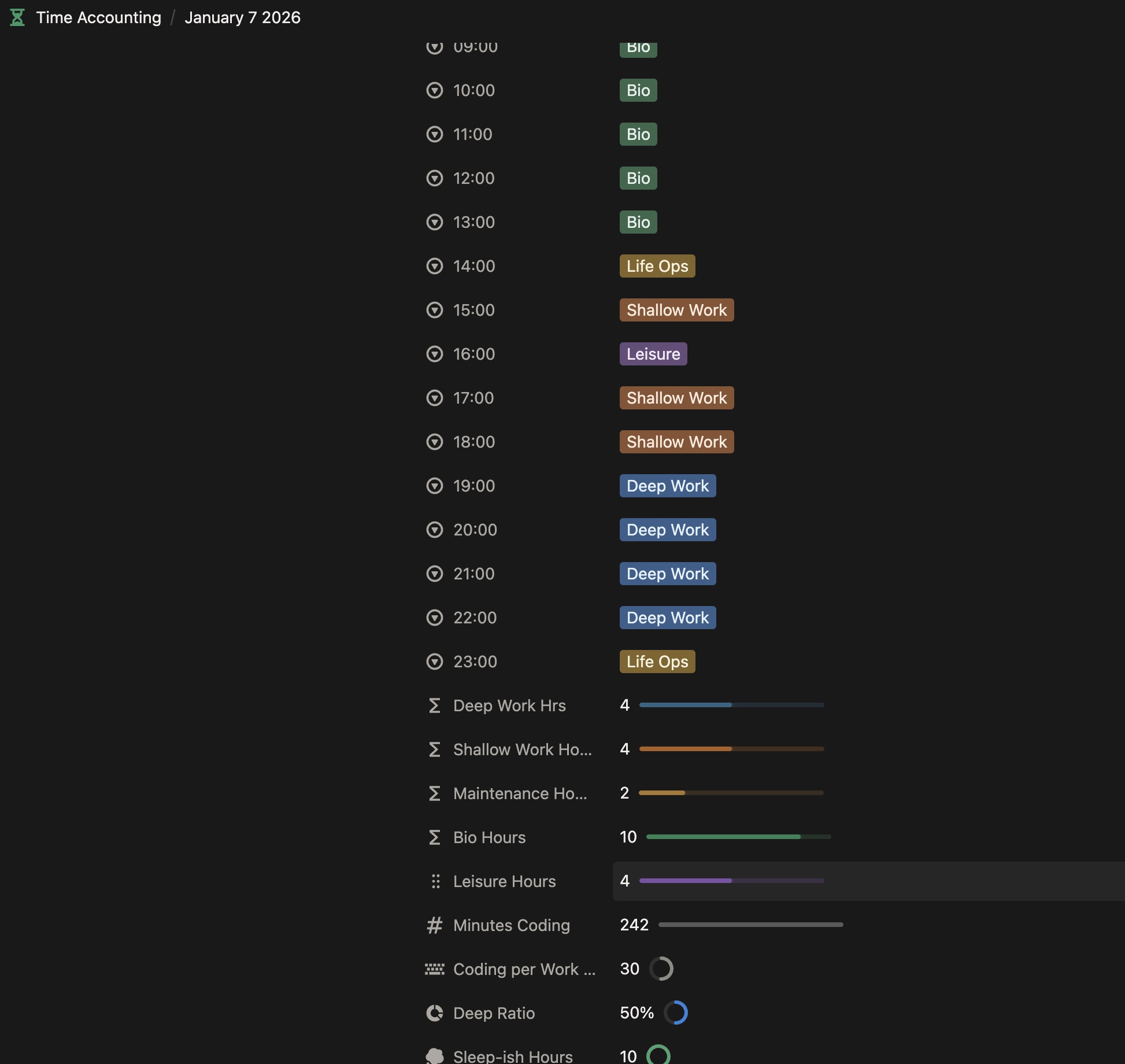
Added a few formulas to these time accounting pages
It wasn't much, but this is half the work. The other half is making sure that I don't need to "think hard" about what's happened the past few hours, or sometimes even half a day when I check in.
That meant having to set up some systems of automated tracking.
Automated Time Tracking
Enter ActivityWatch. I wish I discovered this earlier. It had all the problems of time accounting go away and introduced new levels of tracking I never though possible. It was like wakatime (which I also added to the stack), but for everything on my computer.
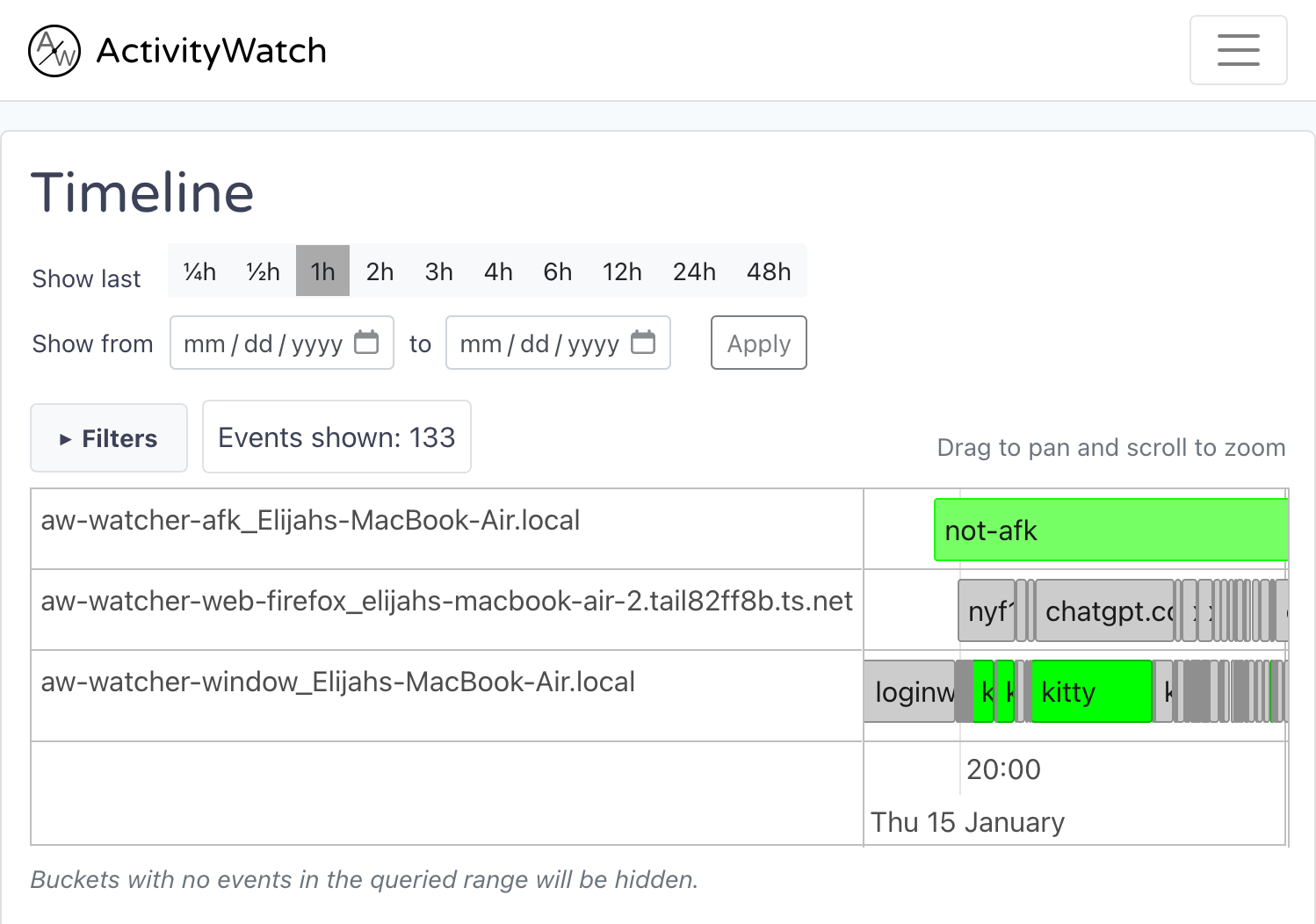
ActivityWatch has very rich logs, to the point that the dashboard has too much info
First of all, to take away all the guess work behind how I spent time on my computers, I added some cronjobs to gather up my ActivityWatch data, aggregate them, and add them to my current day Notion page. This way, whenever I opened up today's time accounting page, I'm greeted with a nice hour-by-hour overview of my time online, including my use of programming tools (such as neovim, btw), planning apps (like Notion and logseq), and even browser activity and AI chats.
Since I could now see when I've been online and when I've been doing things IRL, filling out my time accounting chart became a breeze, taking me no longer than a few minutes a day, and still yielding lots of insights for me whenever I want to review how my day and week has went.
Tool Usage Dashboard
But we can go further.
There's been an explosion in AI and dev tooling over the last year and my stack has constantly been evolving.
"Oh, you are still using Cursor? All of us are using Codex now. Claude code has been one shotting my apps. You didn't switch to OpenCode? ngmi. Ultrawork is the best agent harness. Have you set up skills yet? You should use simple prompts only to avoid context bloat. It's 2026 and you still care about context windows??"
I thought it would be cool to keep track of the evolution of my tech stack. So I created a dashboard for it. 90% vibecoded, which was surprising to me, but normally I'd expect a barely functional UI that I would scrap and redesign.
That's now available in the dashboard page. I'll be adding to it iteratively; as of now, its still not running on all my devices.
I don't expect the "observer effect" of this time accounting system (and how it makes more more intentional with my time) to last very long, but having this awareness and practice become cheap enough to perform daily is more than enough. Also, these systems compound quietly, as the tooling available grows in effortlessness and granularity while the pool of data to analyse balloons over time.
Soon enough, I'll be doing (true) self-experiments with these tools.